
Digital trust infrastructure
One trust layer, three ways to use it
Verification, signing and identity are not three products that happen to be sold together. They share a substrate: a verified identity that is established once and then carries its assurance forward.
Independently audited
What is shared
The verified identity is the platform
When someone completes verification, the result is not a pass mark that gets thrown away. It becomes a durable identity with a known assurance level, held by the person and recognised by every part of Privy.
That is what makes the difference between buying two tools and building on a platform. The signature knows who signed because verification established it. The next platform trusts the sign-in because the identity already carries its assurance. Nothing is checked twice for the same reason.

Four layers, one system
Each product operates across several layers. Nothing sits on its own.
Identity layer
Establishes and holds a verified identity with a known assurance level. Everything else reads from it.
Levels: Unverified and Verified.
- Identity Verification
- Digital Identity
Action layer
Attaches an identity to something consequential — signing an agreement, approving a request, gaining access.
Each action is bound to the identity that performed it.
- Digital Signature
- Digital Identity
Evidence layer
Produces the durable record: what happened, when, on whose authority, and the checks behind it.
Retrievable for review, audit or dispute.
- Identity Verification
- Digital Signature
- Digital Identity
Governance layer
The certified operating practice underneath all of it — security management, certificate operations, privacy handling.
Independently audited. See Trust & Security.
- Identity Verification
- Digital Signature
- Digital Identity
| Layer | VerifyIdentity Verification | SignDigital Signature | IdentityDigital Identity |
|---|---|---|---|
| Identity layerEstablishes and holds a verified identity with a known assurance level. Everything else reads from it.Levels: Unverified and Verified. | Identity Verification operates in the Identity layer | Not applicable | Digital Identity operates in the Identity layer |
| Action layerAttaches an identity to something consequential — signing an agreement, approving a request, gaining access.Each action is bound to the identity that performed it. | Not applicable | Digital Signature operates in the Action layer | Digital Identity operates in the Action layer |
| Evidence layerProduces the durable record: what happened, when, on whose authority, and the checks behind it.Retrievable for review, audit or dispute. | Identity Verification operates in the Evidence layer | Digital Signature operates in the Evidence layer | Digital Identity operates in the Evidence layer |
| Governance layerThe certified operating practice underneath all of it — security management, certificate operations, privacy handling.Independently audited. See Trust & Security. | Identity Verification operates in the Governance layer | Digital Signature operates in the Governance layer | Digital Identity operates in the Governance layer |
In practice
What that looks like in one flow
A person joins your platform
They verify once. Document and biometric checks confirm a real identity, and the result becomes theirs to keep.
They sign something that matters
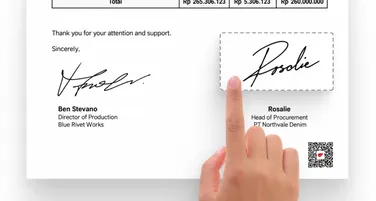
The agreement is bound to the identity already established — no second round of checks, and the record shows who signed and on what basis.
They come back, or go elsewhere
The same identity signs them in again, or into another platform that trusts Privy, at the assurance level already established.
Each step is cheaper and faster than the one before it, because the assurance carries.
The three core solutions
Sign
Privy Digital Signature
Binds a trusted identity to an accountable digital action.
“Can we trust who performed this action, and what happened?”
Explore Digital SignatureVerify
Privy Identity Verification
Establishes who is acting.
“Is this really the person they claim to be?”
Explore Identity VerificationIdentity

Privy Digital Identity
Lets an established identity continue across digital interactions.
“Can we rely on this identity again without starting from zero?”
Explore Digital Identity
Built for the moments that carry obligations
The same three products, arranged around what each sector actually has to prove. Choose one to see the workflow.
The problem
Opening an account means proving who someone is before any money moves — and then proving, later, that the check actually happened.
What Privy does
Privy verifies the applicant, turns the result into a reusable identity, and binds every agreement and approval to it with a record you can produce on request.
Every action is attributable to a verified identity, and the record survives audit and dispute.
The workflow
- Applicant appliesThey start onboarding in your channel — app, web or branch-assisted.
- Identity confirmedDocument and biometric checks run, with watchlist screening, in seconds.
- Agreement signedTerms are signed by the identity just verified, not by an unauthenticated session.
- Evidence retainedWho did what, when and on whose authority is recorded and retrievable.
What changes
- Fewer abandoned applications from repeated manual checks
- Fraudulent applications stopped before an account exists
- Agreement evidence available without reconstructing it from email
The problem
Policies are sold across agents, brokers and direct channels — and each one collects consent and signatures differently, which is where disputes start.
What Privy does
Privy gives every channel the same verified identity and the same signing record, so a policy signed through an agent carries the evidence as one signed direct.
Consent must be provably given by the policyholder, and provable years later.
The workflow
- Applicant identifiedThe customer is verified once, whichever channel they arrived through.
- Policy preparedDocuments are routed to the customer, the agent and any co-signer in the order you set.
- Consent capturedConsent is signed by the verified customer, not implied by a checkbox.
- Claim-ready recordThe signed policy and its trail are retrievable when a claim is examined.
What changes
- Consistent evidence across agent, broker and direct channels
- Faster policy issuance without printing or courier steps
- Fewer disputes about what a customer agreed to
The problem
A lending decision is worth nothing if the applicant is not who they claim to be — and every extra verification step costs conversions you already paid for.
What Privy does
Privy runs verification inside your own flow through the API, returns a result your decisioning can act on, and carries the identity through to signing.
Verification has to be fast enough not to cost conversions, and strong enough to stand behind a credit decision.
The workflow
- Verify the applicantCalled from your backend during onboarding — the user never leaves your product.
- Establish the identityThe verified result becomes a reusable identity at a known assurance level.
- DecisionYour credit logic runs against an applicant you know is real.
- Sign and retainThe agreement is signed by that identity, with the evidence retained.
What changes
- Onboarding completes in one session instead of several
- Repeat customers skip verification they have already passed
- Loan agreements carry evidence of who signed them
The problem
Contracts, offers and vendor agreements move at the speed of whoever is chasing signatures — usually one person, usually by email.
What Privy does
Privy sends, tracks and completes agreements with signer identity established up front, so nobody is chasing and nothing is signed by the wrong person.
A small team needs the same signing evidence as a large one — without a procurement process to get it.
The workflow
- PrepareUpload the agreement or reuse a template you already set up.
- RouteChoose who signs and in what order — sequential or all at once.
- TrackSee who has signed and who has not, and remind them in one click.
- KeepThe completed agreement is stored with its record, findable later.
What changes
- Agreements complete in hours rather than days of chasing
- No printing, scanning or courier steps
- Every signed document in one place instead of several inboxes
The problem
Public services have to establish who a citizen is, act on their instruction, and be able to show afterwards that the process was followed.
What Privy does
Privy provides verified identity for access, signing for instructions and approvals, and a durable record of each decision and its authority.
Public decisions must be attributable and reviewable — accountability is the requirement, not a feature.
The workflow
- Citizen identifiedIdentity is established once, at the assurance level the service requires.
- Service accessedThe same identity signs in, without re-proving it each time.
- Decision approvedApprovals are signed by named officers, in a defined order.
- Accountable recordEach action carries who acted, when and under what authority.
What changes
- Citizens complete services without repeating identity checks
- Approvals are attributable to a named, verified officer
- Process can be evidenced without reconstructing it
The problem
Legal, HR, procurement and compliance each run their own approval routes, and the organisation cannot see who approved what across any of them.
What Privy does
Privy gives every team one signing and identity layer, with roles, routing and reporting that work the same way across departments.
Governance depends on knowing which named person approved something — and being able to show it.
The workflow
- Request raisedA contract, offer or purchase starts in the team that owns it.
- Routed for approvalIt follows the approval order that team has defined, with roles enforced.
- Signed by identityEach approver is a verified identity, not a shared mailbox.
- Visible and retainedStatus and history are visible centrally, with reporting across teams.
What changes
- One approval trail across Legal, HR, procurement and compliance
- Role-based control instead of per-team workarounds
- Reporting on what is outstanding, signed or expiring
See it against your own use case
Tell us what you are trying to build, and we will show you which parts of the platform apply.